

When attached to a Cloud Router, your Google Cloud Interconnect can share a routing domain with other cloud links and virtual circuits.Documentation Index
Fetch the complete documentation index at: https://docs.zayo.com/llms.txt
Use this file to discover all available pages before exploring further.
Prerequisites
Before you begin, ensure you have:- An active Google Cloud account with appropriate permissions
- Compute Engine API enabled for your Google Cloud project
- A VPC in your Google Cloud environment. For more information, see Google Cloud - Create and manage VPC networks
- A DynamicLink port with available bandwidth
Step 1: Create a partner interconnect VLAN attachment in Google Cloud
In the search field at the top of Google Cloud Console home page, enter “Interconnect” and select the product page. Go to the Interconnect page and click Create VLAN attachments. There are two types of partner interconnect VLAN attachments:- Encrypted: HA VPN over your connection. See HA VPN over Cloud Interconnect overview. Note that while this is supported on the Zayo NaaS platform, you will need to deploy and configure IPsec on-prem.
- Unencrypted: Unencrypted connections are still private and secure, but do not use VPN tunneling and do not require IPsec.
| Field | Comments |
|---|---|
| MTU | Support for up to 9000 MTU |
| IP stack type | Select IPv4 (single-stack) (we do not support IPv6 at this time) |
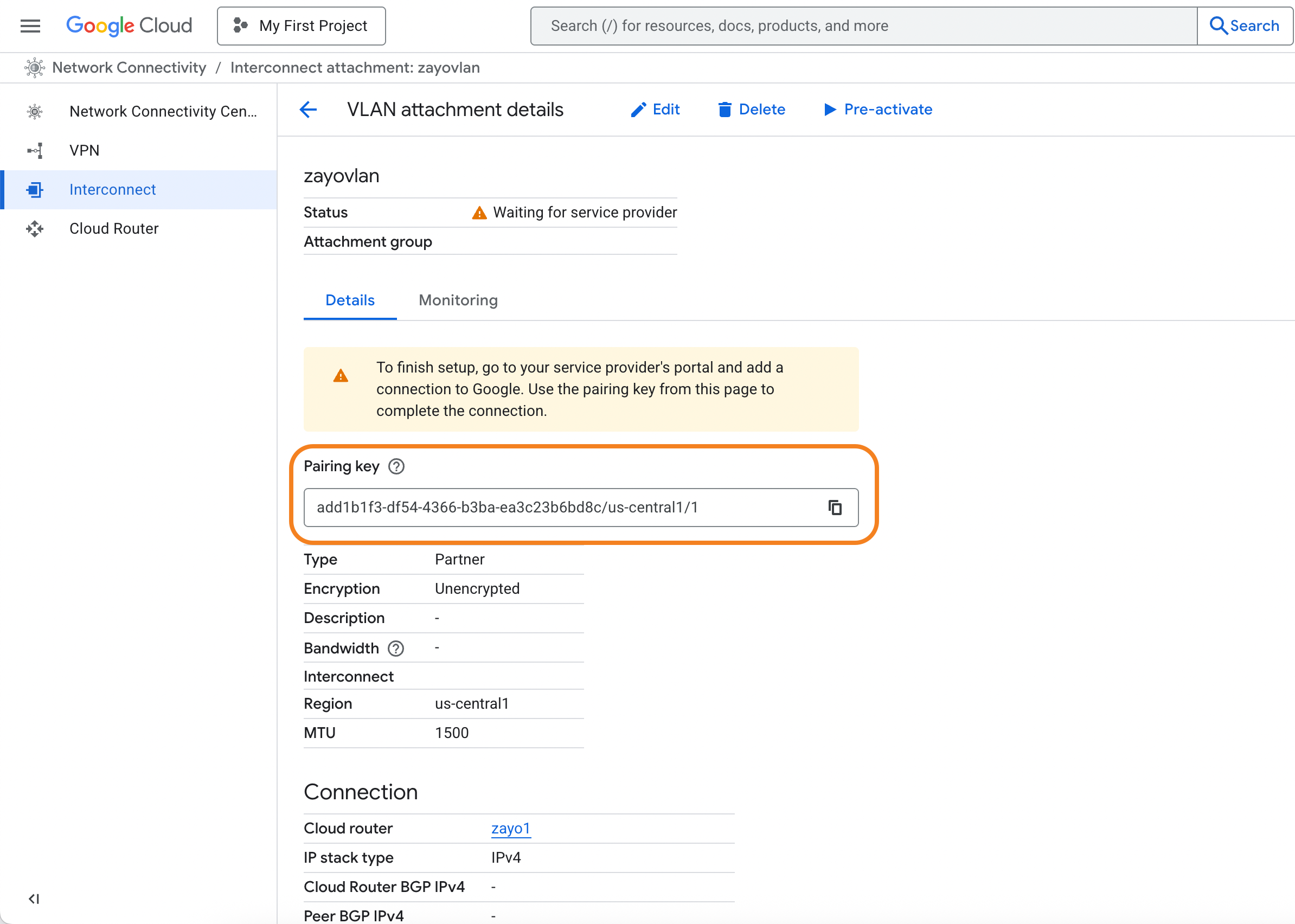
Step 2: Create the Cloud Router connection in DynamicLink
Once you have your pairing key from Google Cloud, return to the DynamicLink portal. Navigate to Build Your Network > Ports in the DynamicLink portal. Under Connections, click the Cloud Router vertical tab. Select Cloud Connection and then Google: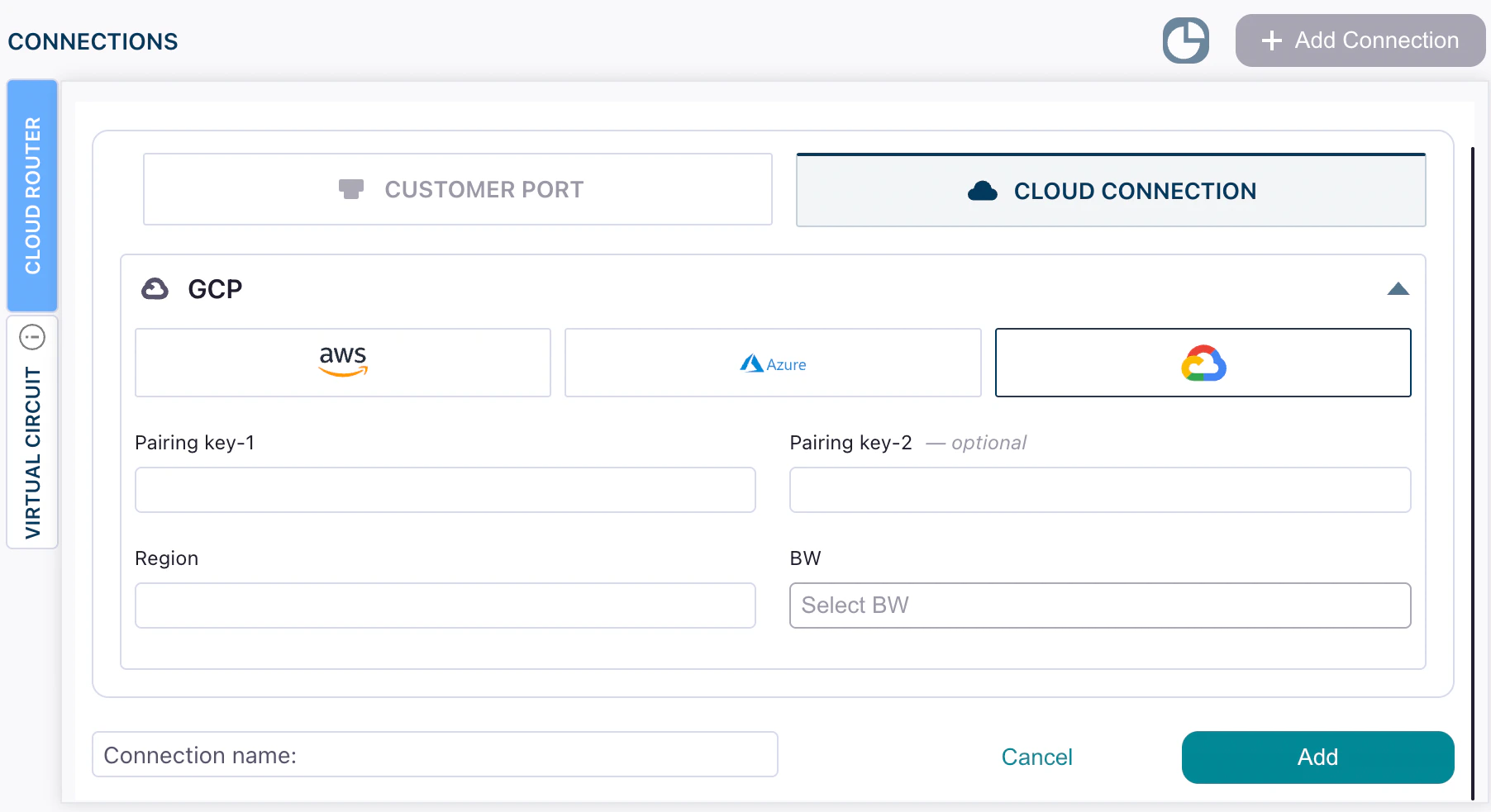
| Field | Description |
|---|---|
| Pairing key 1 Pairing key 2 | Enter the pairing keys you copied from Google Cloud console after creating your VLAN attachment. |
| Region | This is automatically populated with the region you selected while provisioning the VLAN attachment. |
| BW | Desired bandwidth for the Google Cloud Interconnect link. |